
Internal Operations
Stay22 · New dashboard rollout (stealth release) · 2025
Internal operations views for managing partner accounts, groups, and deal configuration—table-first for scanning and a structured settings view for controlled edits, aligned with the new dashboard design system.
Problem
Internal teams needed a reliable way to manage partner configuration at scale—quickly finding records, triaging issues, and making safe edits—without relying on spreadsheets or engineering support. The experience also needed to live within the new dashboard design system for consistency and maintainability.
Users
Internal team members (e.g., BDM/Operations) managing partner accounts, group membership, and deal configuration.
Approach
- Designed table-first operations screens for scanning with search, filters, sortable columns, and pagination.
- Created a structured group settings view that separates identity/metadata from editable configuration (commissions, providers, toggles).
- Placed edit affordances at section level to reduce accidental changes and support safe updates.
Operations Views (Scan → Drill Down)
Fast scanning and triage through tabbed operations screens, then deeper configuration via a structured settings page.
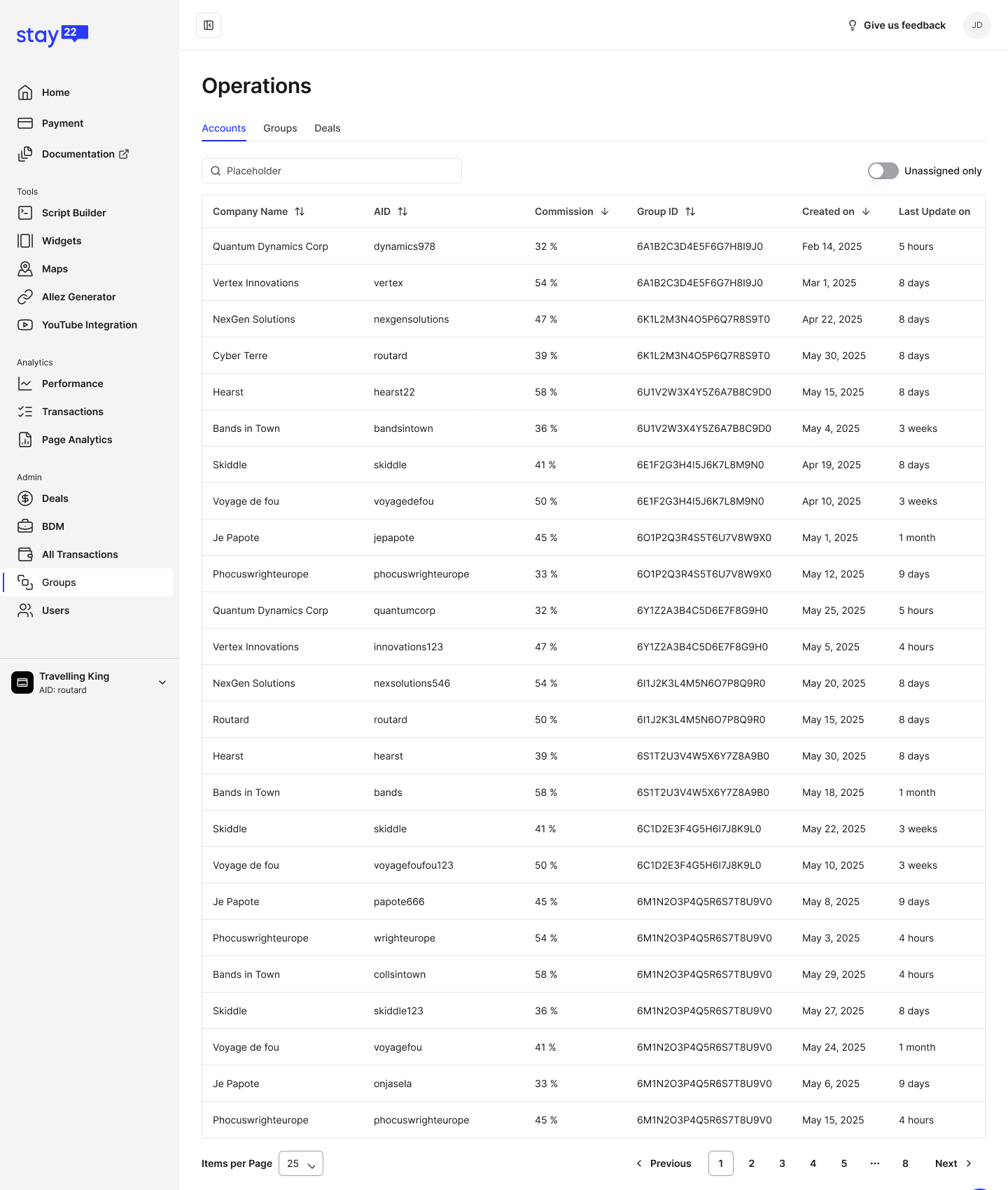
Operations list view optimized for scanning and filtering.
OpenOutcomes
- Delivered internal operations surfaces aligned with the new dashboard design system.
- Improved triage efficiency with search, filters, and table-first scanning patterns.
- Enabled safer configuration changes through structured settings and section-level edit affordances.
Screens shown as design work samples. Product details may be simplified.